Ruby on Rails and Social networking are probably few that took limelight when WEB2.0 bug was bit! You hear/find/discuss... everywhere on these, and I thought it would be good idea to club the both and do a comparison withing social networking Applications based on Ruby on Rails.
Showing posts with label ruby. Show all posts
Showing posts with label ruby. Show all posts
Friday, January 23


Monday, December 8
Range Class in Ruby
"Range" is an interval with starting and ending values. In ruby ranges can be created either by "literals" or directly through the "Range::new". And of the literals, x..y & x...y. The main difference of the two mentioned literals, inclusion/exclusion of end values in the range.
x..y: includes the end values
x..y: includes the end values
(1..5).each do n
puts n, ' '
end
(1...5).each do n
puts n, ' '
end
In the first literal case, values 1, 2, 3, 4, 5 would be printed. Whereas, in the second litereral case 1, 2, 3, 4 only will be printed.Interestingly methods end/alias would still give the end value of the range. In such case, end_excluded? is apt choice to distinguish.
Wednesday, January 16
@ Ruby on Rails conferences
I have been into Open Source technologies from starting of my career and I always take pride to speak about the technologies, I had been into. Be it:
Browser - Firefox, Mozilla...
Testing tools - Selenium...
Programming Languages - PHP, Ruby, Python...
and the list goes on and on.
Recently I had been associated with open source community, where I had chance to speak about the open source technologies I work on: Ruby, Rails, Aptana...
You can find more about community here and the following links shows my participation:
Browser - Firefox, Mozilla...
Testing tools - Selenium...
Programming Languages - PHP, Ruby, Python...
and the list goes on and on.
Recently I had been associated with open source community, where I had chance to speak about the open source technologies I work on: Ruby, Rails, Aptana...
You can find more about community here and the following links shows my participation:
Tuesday, January 15
Ruby on Rails - Installing Rails
Recently my laptop crashed as the virus invaded to each and every folder possible. I could not open any of local folders, files and also not able to access the internet. I was so fed up, without second thought I just reformatted my system. Of course, later I realized the value of backup, when I was going through the installations.
Adding to this when I tried to install rails through "gem install rails --include-dependencies". It was annoying message, which said the request to remote server timed out!
Well I was just discussing with my juniors what exactly rails consists/made of?
Rails is nothing but Web-application framework with template engine, control-flow layer, and ORM.
I also explained that they are nothing but few ruby files called/named as gems.
activeresource, rails, activesupport, activerecord, actionpack,
I recollected that, and instead of depending on net connection speed, went to ruby forge and picked up all the above gems (latest version 2.0.2) and stored on to local folders. Then installed one by one in the order... (click the links to download)
Note: The order is maintained based on the dependencies the other
So this is what downloaded/installed when you run the command "gem install rails --include-dependencies".
Though each of the above listed gems could become a topic by itself, let me brief what's the role each of them got to play:
 Thanks to my friend Manoj for the screenshot.
Cross check:
Adding to this when I tried to install rails through "gem install rails --include-dependencies". It was annoying message, which said the request to remote server timed out!
Well I was just discussing with my juniors what exactly rails consists/made of?
Rails is nothing but Web-application framework with template engine, control-flow layer, and ORM.
I also explained that they are nothing but few ruby files called/named as gems.
activeresource, rails, activesupport, activerecord, actionpack,
I recollected that, and instead of depending on net connection speed, went to ruby forge and picked up all the above gems (latest version 2.0.2) and stored on to local folders. Then installed one by one in the order... (click the links to download)
- activeresource 2.0.2
- rails 2.0.2
- activesupport 2.0.2
- activerecord 2.0.2
- actionpack 2.0.2
- actionmailer 2.0.2
Note: The order is maintained based on the dependencies the other
So this is what downloaded/installed when you run the command "gem install rails --include-dependencies".
Though each of the above listed gems could become a topic by itself, let me brief what's the role each of them got to play:
- activeresource - Think Active Record for web resources.
- rails - Web-application framework with template engine, control-flow layer, and ORM.
- activesupport - Support and utility classes used by the Rails framework.
- activerecord - Implements the ActiveRecord pattern for ORM.
- actionpack - Web-flow and rendering framework putting the VC (Views & Controllers) in MVC
- actionmailer - Service layer for easy email delivery and testing.
 Thanks to my friend Manoj for the screenshot.
Cross check:
- ruby -v => To check the version of ruby installed
- gem -v => To check the version of gems installed
- rails -v => To check the version of rails installed
- gemlist => To find the list of all gems installed
Thursday, January 10
Web Application resources required Ruby vs Java
"Once you've tried developing a substantial application in Java or PHP or C# or whatever, the difference in Rails will be readily apparent. You gotta feel the hurt before you can appreciate the cure."

Who is 
What else he said about Ruby on Rails? Interview with David...
How popular he is? Well he ranked ...
Monday, January 7
Ruby on Rails Arrays and Hashes
Download the Examples
Arrays
Ruby has Arrays and Hashes to store/collect the objects.
And these objects are accessed using an index.
Array:
1. It is an ordered collection of objects.
2. Indexed with integers.
How to create an Array?
Answer is there are three different ways to create an array.
# Way 1 :
a1 = []
# Crosscheck whether we created the array "a1".
puts "a1 is an #{a1.class}"
# Way 2 :
a2 = [1,2,3]
# Crosscheck whether we created the array "a2".
puts "a2 is an #{a2.class}"
# Way 3 :
a3 = Array.new
# Crosscheck whether we created the array "a3".
puts "a3 is an #{a3.class}"
# Note:
# --> The array holds the objects within square brackets.
# --> The multiple objects separated with commas.
# --> The array holds different objects (int, float, string...).
# --> Way 1, creates an empty array.
# --> Way 2, creates an array with few objects defined/collected.
# --> Way 3, creates an empty array using ".new" operator/method.
# --> At any point to check whether we created array's or not, we can use ".class".
Exercise:
Well following are the built in methods that we can apply on to arrays.
&, *, +, -, <<, <=> , ==, [], [], []=, abbrev, assoc, at, clear, collect, collect!, compact , compact!, concat , dclone , delete, delete_at, delete_if, each, each_index, empty? , eql?, fetch , fill, first, flatten , flatten!, frozen? , hash include?, index , indexes, indices, initialize_copy , insert, inspect , join, last, length, map , map!, new, nitems , pack , pop, pretty_print, pretty_print_cycle, push , quote, rassoc, reject , reject!, replace, reverse, reverse! , reverse_each , rindex , select, shift, size , slice, slice!, sort , sort!, to_a , to_ary , to_s , to_yaml, transpose, uniq , uniq! , unshift, values_at, yaml_initialize, zip , .
Download the Examples
Hashes :
Ruby has Arrays and Hashes to store/collect the objects.
And these objects are accessed using an index.
# How to create an Hash?
# Answer is there are three different ways to create an Hash.
# Way 1 :
h1 = {}
# Crosscheck whether we created the Hash "h1".
puts "h1 is a #{h1.class}"
# Way 2 :
h2 = {
"Object1"=>"First Object",
"Object2"=>"Second Object"
}
# Crosscheck whether we created the Hash "h2".
puts "h2 is a #{h2.class}"
# Way 3 :
h3 = Hash.new
# Crosscheck whether we created the Hash "h3".
puts "h3 is a #{h3.class}"
# Note:
# --> The hash hold objects within curly braces.
# --> The Key and Value pair forms an object in Hash.
# --> The multiple objects separated with commas.
# --> The hash holds different data types.
# --> Way 1, creates an empty Hash.
# --> Way 2, creates an Hash with few objects defined/collected.
# --> Way 3, creates an empty Hash using ".new" operator/method.
# --> At any point to check whether we created Hash or not, we can use ".class".
Exercise on Hashes:
==, [], [], []=, clear, default, default=, default_proc, delete, delete_if, each, each_key, each_pair, each_value, empty?, fetch, has_key?, has_value?, include?, index, indexes, indices, initialize_copy, inspect, invert, key?, keys, length, member?, merge, merge!, new, pretty_print , pretty_print_cycle, rehash, reject, reject!, replace, select, shift, size, sort, store, to_a, to_hash, to_s, to_yaml, update, value?, values, values_at, yaml_initialize
Download the Examples
The zip file contains examples on Creating Arrays and Hashes, Methods implemented on arrays.
Note:
Arrays
Ruby has Arrays and Hashes to store/collect the objects.
And these objects are accessed using an index.
Array:
1. It is an ordered collection of objects.
2. Indexed with integers.
How to create an Array?
Answer is there are three different ways to create an array.
# Way 1 :
a1 = []
# Crosscheck whether we created the array "a1".
puts "a1 is an #{a1.class}"
# Way 2 :
a2 = [1,2,3]
# Crosscheck whether we created the array "a2".
puts "a2 is an #{a2.class}"
# Way 3 :
a3 = Array.new
# Crosscheck whether we created the array "a3".
puts "a3 is an #{a3.class}"
# Note:
# --> The array holds the objects within square brackets.
# --> The multiple objects separated with commas.
# --> The array holds different objects (int, float, string...).
# --> Way 1, creates an empty array.
# --> Way 2, creates an array with few objects defined/collected.
# --> Way 3, creates an empty array using ".new" operator/method.
# --> At any point to check whether we created array's or not, we can use ".class".
Exercise:
Well following are the built in methods that we can apply on to arrays.
&, *, +, -, <<, <=> , ==, [], [], []=, abbrev, assoc, at, clear, collect, collect!, compact , compact!, concat , dclone , delete, delete_at, delete_if, each, each_index, empty? , eql?, fetch , fill, first, flatten , flatten!, frozen? , hash include?, index , indexes, indices, initialize_copy , insert, inspect , join, last, length, map , map!, new, nitems , pack , pop, pretty_print, pretty_print_cycle, push , quote, rassoc, reject , reject!, replace, reverse, reverse! , reverse_each , rindex , select, shift, size , slice, slice!, sort , sort!, to_a , to_ary , to_s , to_yaml, transpose, uniq , uniq! , unshift, values_at, yaml_initialize, zip , .
Download the Examples
Hashes :
Ruby has Arrays and Hashes to store/collect the objects.
And these objects are accessed using an index.
# How to create an Hash?
# Answer is there are three different ways to create an Hash.
# Way 1 :
h1 = {}
# Crosscheck whether we created the Hash "h1".
puts "h1 is a #{h1.class}"
# Way 2 :
h2 = {
"Object1"=>"First Object",
"Object2"=>"Second Object"
}
# Crosscheck whether we created the Hash "h2".
puts "h2 is a #{h2.class}"
# Way 3 :
h3 = Hash.new
# Crosscheck whether we created the Hash "h3".
puts "h3 is a #{h3.class}"
# Note:
# --> The hash hold objects within curly braces.
# --> The Key and Value pair forms an object in Hash.
# --> The multiple objects separated with commas.
# --> The hash holds different data types.
# --> Way 1, creates an empty Hash.
# --> Way 2, creates an Hash with few objects defined/collected.
# --> Way 3, creates an empty Hash using ".new" operator/method.
# --> At any point to check whether we created Hash or not, we can use ".class".
Exercise on Hashes:
==, [], [], []=, clear, default, default=, default_proc, delete, delete_if, each, each_key, each_pair, each_value, empty?, fetch, has_key?, has_value?, include?, index, indexes, indices, initialize_copy, inspect, invert, key?, keys, length, member?, merge, merge!, new, pretty_print , pretty_print_cycle, rehash, reject, reject!, replace, select, shift, size, sort, store, to_a, to_hash, to_s, to_yaml, update, value?, values, values_at, yaml_initialize
Download the Examples
The zip file contains examples on Creating Arrays and Hashes, Methods implemented on arrays.
Note:
- Please comment/un comment the wanted/un necessary puts, for better understanding.
Tuesday, December 18
Ruby on Rails simple examples & String Class
After the previous post, hope you successfully installed the ruby on to your machine and ready to speed up our tutorials.
Now let us see a simple math example, factorial function. How do we write a program that would calculate the factorial value of integer that we would pass.
Basically factorial is:
If you notice here there are lot of points to carry with us,
Ruby String Class:
Download or View on Scribd
Now let us see a simple math example, factorial function. How do we write a program that would calculate the factorial value of integer that we would pass.
Basically factorial is:
n! = 1 (when n==0)= n * (n-1)! (otherwise)
- The simple logic that we are aware is, factorial is nothing but a recursive function call.


If you notice here there are lot of points to carry with us,
- You may notice the repeated occurrence of
end. - You may also notice the lack of a
returnstatement.
- It is not needed because a ruby function returns the last thing that was evaluated in it. Though use of a
returnstatement is permissible but it is not necessary here. -
ARGVis an array which contains the command line arguments, andto_iconverts a character string to an integer.
- What happens if I pass string as argument instead of integer?
- At the line “12”, replace the double quote with single quote and see what happens?
Ruby String Class:
A String object holds and manipulates an arbitrary sequence of bytes, typically representing characters. String objects may be created using String::new or as literals.
Because of aliasing issues, users of strings should be aware of the methods that modify the contents of a String object.
· Methods with names ending in ``!’’ modify their receiver.
· Methods without a ``!’’ return a new String.
Ruby deals with strings as well as numerical data. A string may be double-quoted ("...") or single-quoted ('...').
· A double-quoted string allows character escapes by a leading backslash, and the evaluation of embedded expressions using #{}.
· A single-quoted string does not do this interpreting; what you see is what you get.
Examples:
If you had done the above mentioned experiments, it is easy to understand the above two points. The difference between the double and single quotes around a string. There are plenty of methods that ruby offers, they come very handy!
capitalize:
str.capitalize => new_str
This method turns the first letter of the string to upper case.
"ruby".capitalize #=> "Ruby"
Methods with names ending in ``!’’ modify their receiver.
capitalize!:
str.capitalize! => str or nil
Modifies str by converting the first character to uppercase and the remainder to lowercase. Returns nil if no changes are made.
a = "hello" a.capitalize! #=> "Hello"
a #=> "Hello"
a.capitalize! #=> nilFind more examples and other methods ruby supports.
Download or View on Scribd
Tuesday, December 11
Ruby on Rails Installing Ruby
Though you continue to work/experiment more on the online ruby editor, today we see how we would install the ruby on windows OS.
Recollect "Ruby is portable, which means can be installed on all OS's possible"
Recollect "Ruby is portable, which means can be installed on all OS's possible"
Ruby Installer for Windows. Download the executable ruby186-25.exe and double-click this file to install Ruby on your PC. (Accept all the defaults.)
Once you have installed your Ruby software, the System Environment Variable path is already set to point to the bin folder of Ruby. The installation also includes the First Edition of Programming Ruby book and the SciTE editor.
Just recollect what we had done and what's the Ruby Environment looks like.
Assuming that you installed Ruby in the folder c:/ruby, then the installation creates a number of sub-folders. See the list below.
c:/ruby/bin : Here the Ruby executables (including ruby and irb) have been installed.
c:/ruby/src : Here you get the Ruby source code.
c:/ruby/lib/ruby/gems : Here are the Ruby-Gems.
c:/ruby/lib/ruby/1.8 : Here you'll find program files written in Ruby. These files provide standard library facilities, which you can require from your own programs if you need the functionality they provide.
c:/ruby/lib/ruby/1.8/i386-mswin32 : Here you find architecture-specific extensions and libraries. These files are C-language extensions to Ruby; or, more precisely, they are the binary, runtime-loadable files generated from Ruby's C-language extension code, compiled into binary form as part of the Ruby installation process.
c:/ruby/lib/ruby/site_ruby : Here you store third-party extensions and libraries. This include your own code or some third party.
c:/ruby/samples/RubySrc-1.8.6/sample : Well, here you will find some sample Ruby programs.
From now we can also execute ruby snippets on the locally installed SciTE editor.
Open the Editor: start/Programs/Ruby-186-25/SciTE.
Press F8 to open an output window.
Create a folder named, say. rubyexamples on your C:\ and will keep all our programs in this folder. Let us repeat the our first program, that we had done yesterday online. That is
puts "Hello World!"
Now save the file as "hello.rb" under c:\rubyexamples folder. Note all ruby source files have the .rb extension.
Pressing on F5 would execute the program and outputs the string "Hello World!" on right side window.
- # hello.rb
- puts 'Hello'
Alternatively you can also type command "ruby hello.rb" to execute the hello.rb file.
Having installed the ruby on local system now repeat the yesterdays examples and practice more for better understanding.
Download the pdf version of Installing Ruby post.
Monday, December 10
Ruby on Rails Learning through examples
What ruby is used for?
Let us recollect the statement:
Ruby is "an interpreted scripting language for quick and easy object-oriented programming".
Ruby is used for many kind of applications be it writing automation scripts and run on your local pc's, or developing automation tools, or Website, or Blogs, Web Application or web based products and the list goes on...
We here pick up basics of Ruby just enough to get going with Rails and start developing simple websites and web applications.
All the things that we had said about ruby in earlier post What is Ruby? will be discussed in coming posts.
Learning through Examples:
Before even going for installing the ruby in your desktop, let us experiment on ruby with small examples and work/execute them here online.
This is our play ground:
This is called interactive ruby shell and we find ">>" similar to command/shell prompt. Now let's start with famous example of printing out "Hello World!" statement.
Going on to the next example:
to add two integers just type : 4+2
to subtract two integers just type : 4-2
to multiply two integers just type : 4*2
to divide two integers just type : 4/2
You can check out with other types also. Need not be of same type, since ruby is dynamic language at the run time they would be evaluated.
for example you type 2.0+3 and see for yourself.
Coming on to the variable declaration, ruby does not require the variable declarations. Let us the see this point also:
you type
>> a=5
=>5
>>b=2.0
=>2.0
>>c=a+b
=>7.0
As you see we have not declared the variables a,b,c and what type they hold. All these variables are evaluated at the run time and treated accordingly.
Ruby treat the operators(+,-,*,/,%...) as just like methods, which is conceptually derived from Smalltalk.
Download the pdf version of Learning Through Examples.
The pdf includes:
Let us recollect the statement:
Ruby is "an interpreted scripting language for quick and easy object-oriented programming".
Ruby is used for many kind of applications be it writing automation scripts and run on your local pc's, or developing automation tools, or Website, or Blogs, Web Application or web based products and the list goes on...
We here pick up basics of Ruby just enough to get going with Rails and start developing simple websites and web applications.
All the things that we had said about ruby in earlier post What is Ruby? will be discussed in coming posts.
Learning through Examples:
Before even going for installing the ruby in your desktop, let us experiment on ruby with small examples and work/execute them here online.
This is our play ground:
This is called interactive ruby shell and we find ">>" similar to command/shell prompt. Now let's start with famous example of printing out "Hello World!" statement.
- type puts "Hello World!" >> puts "Hello World!"
- then click "Enter" button
- Now you would find the expected returned
- >> puts "Hello World!"
- Hello World!=> nil
puts always returns nil, which is Ruby’s absolutely-positively-nothing value.Going on to the next example:
- Ruby has simple syntax.
- Ruby is dynamically typed.
- Ruby needs no variable declarations.
- Ruby operators are also methods.
to add two integers just type : 4+2
to subtract two integers just type : 4-2
to multiply two integers just type : 4*2
to divide two integers just type : 4/2
You can check out with other types also. Need not be of same type, since ruby is dynamic language at the run time they would be evaluated.
for example you type 2.0+3 and see for yourself.
Coming on to the variable declaration, ruby does not require the variable declarations. Let us the see this point also:
you type
>> a=5
=>5
>>b=2.0
=>2.0
>>c=a+b
=>7.0
As you see we have not declared the variables a,b,c and what type they hold. All these variables are evaluated at the run time and treated accordingly.
Ruby treat the operators(+,-,*,/,%...) as just like methods, which is conceptually derived from Smalltalk.
Download the pdf version of Learning Through Examples.
The pdf includes:
- Useful links
- Duck typing explained with example.
- Examples with appropriate comments and explanation.
- Ruby resources links.
Friday, December 7
Ruby on Rails - What is Ruby?
So, I am not just going to stop by providing the Ruby on Rails course structure.
I am here to start sharing the concepts what I understood about Ruby on Rails.
A gentle disclaimer, Nobody is perfect and in my attempt to become close to perfection I relied on world wide web to learn better and to understand the concepts clearly.
So let's start today with Introduction topic and discuss more on What is Ruby? If you are in hurry you can download What is Ruby?
I am here to start sharing the concepts what I understood about Ruby on Rails.
A gentle disclaimer, Nobody is perfect and in my attempt to become close to perfection I relied on world wide web to learn better and to understand the concepts clearly.
So let's start today with Introduction topic and discuss more on What is Ruby? If you are in hurry you can download What is Ruby?
Initially Some History about Ruby:
The language was created by Yukihiro "Matz" Matsumoto, who started working on Ruby on February 24, 1993, and released it to the public in 1995. "Ruby" was named as a gemstone because of a joke within Matsumoto's circle of friends alluding to Perl's name.
Some useful links that come handy when you are going through the course material:
Compiled Language : http://en.wikipedia.org/wiki/Compiled_language
Compilers : http://en.wikipedia.org/wiki/Compiler
Interpreters : http://en.wikipedia.org/wiki/Interpreter_%28computing%29
Object Oriented Programming : http://en.wikipedia.org/wiki/Object-oriented
Ruby, Interpreters, Compilers, Scripting Language, Compiled Language, Mixins, Operating System, Unix, Linux, Modules, Closures, Threads, Exceptions, Garbage Collectors,
Reach me @ tosumanthkrishnaATgmailDOTcom for more discussions.
Ruby is "an interpreted scripting language for quick and easy object-oriented programming".Don’t be alarmed. We will take one by one:
Interpreted Scripting Language:
- Powerful string operations and regular expressions
- Immediate feedback during development
- Ruby programs can be executed from source code.(means to say need not be compiled)
- Everything is an object
- Classes, inheritance, methods, etc.
- Singleton methods
- Mixin by module
- Iterators and closures
- Runs on many different operating systems.
- Windows 95 through XP, Linux, UNIX...
- Variables are not typed
- Syntax is simple and consistent (like you are expressing something)
- Automatic memory allocation and garbage collection
- Exception processing model
- Dynamic loading
- Threads
Reach me @ tosumanthkrishnaATgmailDOTcom for more discussions/tips/suggestions.
Wednesday, December 5
Ruby on Rails - Course structure
You find lot of materials, websites and many articles where you get information about Ruby and Ruby on Rails.
Well, do not get over loaded with the information. If anybody is serious about learning and practicing Ruby on Rails, can make use of the below course structure. This course structure, I had just jotted down to train freshers and friends whoever interested to know more about RoR.
Note: This structure is framed based on
Download Ruby on Rails course structure in pdf
Download Ruby on Rails course structure in pdf
I am open to receive any enhancement tips and open for discussion on the course structure.(tosumanthkrishna AT gmail DOT com)
Well, do not get over loaded with the information. If anybody is serious about learning and practicing Ruby on Rails, can make use of the below course structure. This course structure, I had just jotted down to train freshers and friends whoever interested to know more about RoR.
Note: This structure is framed based on
- my experience in RoR.
- my previous session on RoR gathering.
Download Ruby on Rails course structure in pdf
Prerequisites for the RoR Course:
The course is structured keeping in view of less experienced/freshers in the industry. So considereable time is given for all introductory topics.
However, having knowledge/experience is an added advantage:
1. Exposure to any of the programming languages (c,c++,c#,java...)/Scripting languages(perl, php, smalltalk...).
2. Overview on how web application works.
3. Understanding of the necessity of Data models, Configuration Management.
4. Necessary tools/IDE's (Eclipse IDE, notepad...)
5. Good Analyzing skills.
6. Web Technologies (HTML, JavaScript, CSS, XML, )
Download Ruby on Rails course structure in pdf
COURSE CONTENT
Introduction
· What is Ruby?
· What is it used for?
· Where do I get and install Ruby?
· Core facilities, built-in library and standard library.
· Basic concepts - object orientation, regular expressions, arrays, hashes, etc.
Basic Ruby Language Elements
· Structure of statements and comments.
· Variables and constants.
· Operators. Assignments, calculations, etc. Integer, float and string formats.
· Single and double quotes, here documents, general strings.
Control Structures
· Blocks and the if statement.
· Writing conditions.
· Comparative, boolean and range operators.
· Conditionals - if, unless, case, etc. Loops - while, for in, until, etc. break, next, retry and redo. defined? and ternary operators.
Object Orientation: Individual Objects
· History - unstructured and structured code. Introduction to object oriented programming.
· Classes and methods.
· Static and nonstatic.
· Instances, constructors and destructors.
· Accessing members of a class.
· Loading and using classes.
· Direct access to variables.
· Encouraging class use.
Classes and Objects
· Objects, classes and methods.
· Constructors and attributes.
· Instance and class variables.
· Local and global variables.
· Class and object methods.
· Including files - load and require.
Collections (Arrays and Hashes) in Ruby
· What is a collection?
· Arrays and hashes.
· Constructing an array.
· Nesting arrays. Hash keys, iterators, etc.
More Classes and Objects
· Public, private and protected visibility.
· Singletons and defs.
· Inheritance mixins, and super.
· Destructors and garbage collection.
· Namespaces and modules.
· Hooks.
· Calling methods with code blocks.
· Looking inside objects - reflection.
Strings and Regular Expressions
· Anchors, literals, character groups and counts.
· Matching in Ruby.
· Modifiers i, o, x and m.
· Pattern matching variables.
Special Variables and Pseudo-Variables
· ARGV, $0 and friends - the command line.
· Other special variables from $: through $ to Other special variables from $: through $ to Other special variables from $: through $ to Other special variables from $: through $ to $<. lt;. lt;.
· Environment variables.
· Pseudo-variables.
· Reserved words in Ruby.
Exceptions.
· begin and end (and a mention of BEGIN and END).
· Raise and rescue.
· Throw and catch.
Download Ruby on Rails course structure in pdf
Ruby on the Web
· CGI and the Ruby Apache Module.
· Using cgi.rb; URL decoding, forms, sessions, cookies, etc.
· Embedding Ruby in HTML - the <% <%= and <%# tags.
Ruby GUIs, XML, MySQL Database Connectivity
· Using Ruby/DBI to connect to MySQL, Oracle, etc.
MVC ARCHITECTURE
· What is MVC Architecture?
· Importance of it?
· How it helps?
WebApplications
· What are WebApplications?
· Essentials of WebApplications?
· SDLC (Software Development Life Cycle)
· Database Architecture
· Configuration Management (concept & tools)
· Application/Web Servers
Rails Framework
· What is Ruby on Rails?
· MVC (Model, view, controller) design principles.
· Rails structures -
o WEBrick servers,
o URLs and embedded code.
o Directory structure.
o Database connections.
· Creating the application
o the database and tables.
· First application through Scaffolds.
· Validation and customising the display.
· Adding a new controller.
· Adding viewers and layouts.
· Active Records.
· Emailing and logging from within Rails.
· What is
· How to implement
· What is Protoype?
· What is Scriptaculous?
·
· Rich UI experience.
· Visual Effects.
Download Ruby on Rails course structure in pdf
I am open to receive any enhancement tips and open for discussion on the course structure.(tosumanthkrishna AT gmail DOT com)
Ruby on Rails - The 10 Most Marketable Web Development Skills
After the brief talk on Ruby on Rails at Twincling society which was successful and satisfactory, I am keen on writing and talking more on Ruby on Rails development.
So one of the FAQ's I face most is
What is Ruby on Rails and what is the market for it?
I stumbled across one such article "The 10 Most Marketable Web Development Skills", where the list of web development skills provided.
Note:
So one of the FAQ's I face most is
What is Ruby on Rails and what is the market for it?
I stumbled across one such article "The 10 Most Marketable Web Development Skills", where the list of web development skills provided.
Note:
- This is not any comparison but just listing out current web developement skills that have market.
- The order of the list is not based on any popularity.
Thursday, November 22
Ruby on Rails - RoR
It's been quite appreciable amount of time that I spent on Web Technologies and been involved with many web based products. I was working on RoR. Yes it's the same thing much talked topic among developers and many web gurus.
Ruby on Rails :
Why to re-invent the wheel?
I am not going to talk on
What is ruby?
What is Rails?
Because many had already done enough work on that.
Then Why this post?
Recently I had been to a talk on Ruby on Rails, attended by many people belonging to different groups like from developers to mangers. I was very much inspired by the speaker. Mr. Rajasekhar an eminent speaker, I would say he did really good job by framing up all necessary details for any fresher to start experiments on Ruby on Rails in just 3 - 4 hours of session.
I got an oppurtunity to explain and elaborate the concepts with working examples and live projects here and there between Rajashekar's session.
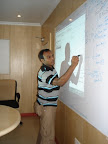
The session went on so well and also it was a gentle reminder for me to start sharing on RoR.
Geeks watch out this space... more to come!
More about the Session
More about the OpenSource Community
Ruby on Rails :
Why to re-invent the wheel?
I am not going to talk on
What is ruby?
What is Rails?
Because many had already done enough work on that.
Then Why this post?
Recently I had been to a talk on Ruby on Rails, attended by many people belonging to different groups like from developers to mangers. I was very much inspired by the speaker. Mr. Rajasekhar an eminent speaker, I would say he did really good job by framing up all necessary details for any fresher to start experiments on Ruby on Rails in just 3 - 4 hours of session.
I got an oppurtunity to explain and elaborate the concepts with working examples and live projects here and there between Rajashekar's session.
The session went on so well and also it was a gentle reminder for me to start sharing on RoR.
Geeks watch out this space... more to come!
More about the Session
More about the OpenSource Community
Subscribe to:
Posts (Atom)


